
Kenan Scott
Wednesday, August 14, 2024
BBite
Sometimes us YWAMers can spend a lot of time in the office, just to keep ministries running, but there could be a better way. BBite is a Power App solution which solves the complicated nature of reserving meals for YWAM dining halls. This app, designed specifically for YWAM, has been implemented to save time for cafeteria office staff, while giving staff members the power to indicate when they and their dependents will be eating. Let’s look at a case study of the problems YWAM Harpenden was facing with their dining hall, and how BBite solved them.
Time and Fustration
YWAM Harpenden’s dining hall normally serves anywhere from 20 to 100 for breakfast, lunch, and dinner. The complication is knowing how many to cook for, why is that so?
- Any staff member (approximately 120) can sign up for any available meals, month by month.
- School staff members can sign up any of their trainees for any meals.
- Staff members need to be able to reserve meals for their guests and kids.
- Events, large and small, occur which have the same requirements.
- Short-term staff and mission builders do not neccesarily have corporate email need to have meals reserved as well.
Add on top of this that any of these eaters may have dietary needs, and that the cost per meal varies based on the type of eater, you have an extremely complicated set of variables that need to be catered to. All of this was being handled either by email or verbal communication to a staff person dedicated to using Excel to come up with the number of people to cook for, and then pass that the pricing information for each person or group to the Accounts team. While there are Catering Management Systems on the market, they didn’t fit into how YWAM operates, missing needed features and including many useless ones, for a high monthly price point.
Enter BBite
BBite fit in and was customised to address all of the previously-mentioned problems that the dining hall was facing. As a Power App on Microsoft 365, it synergized with YWAM Harpenden’s existing systems and staff members’ existing accounts. The end result is that many hours in the office each week have been saved, and communication has been made much more clear. Let’s look at some of the app’s features.
Signing up for meals
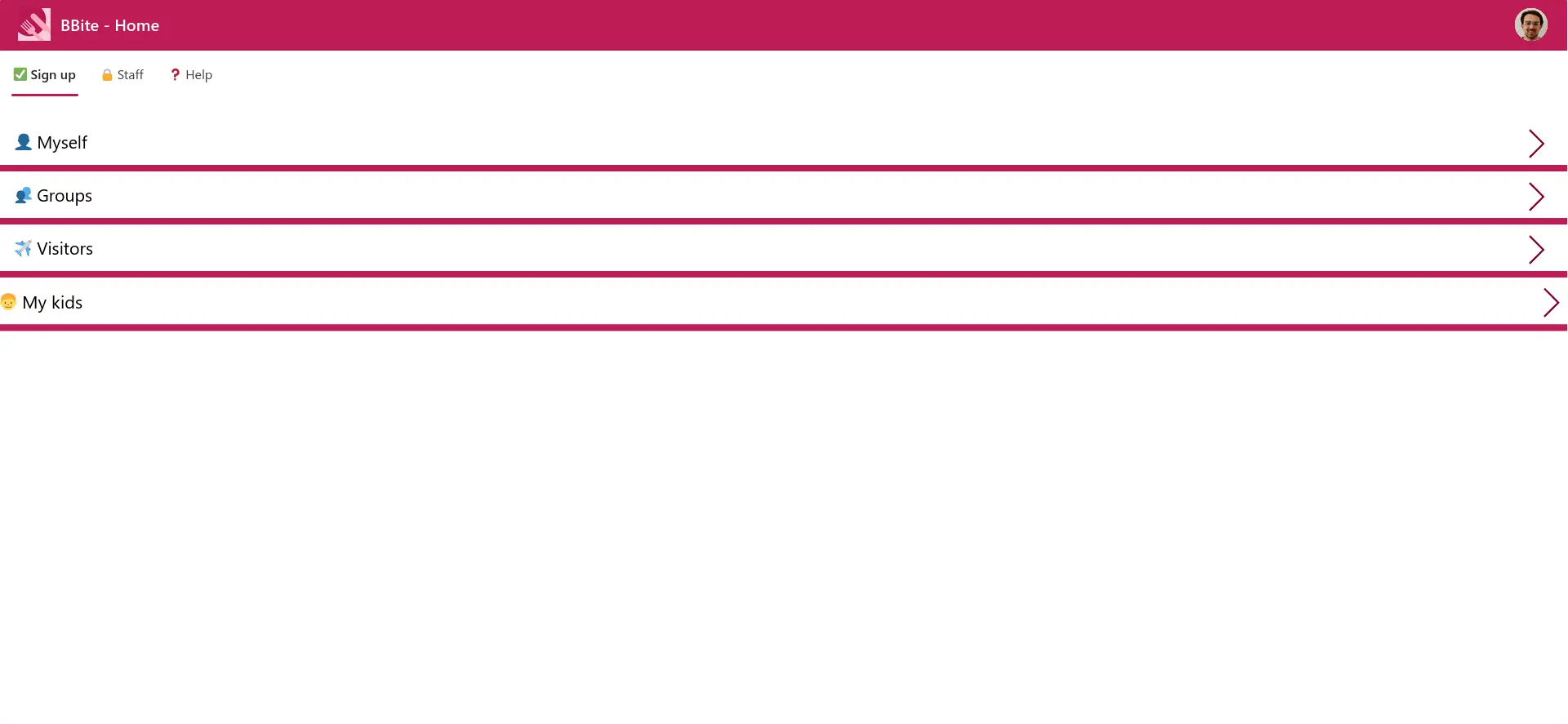
Whether on mobile, tablet, or desktop, when the user goes to the BBite link, they are greeted with a simple, friendly homescreen.
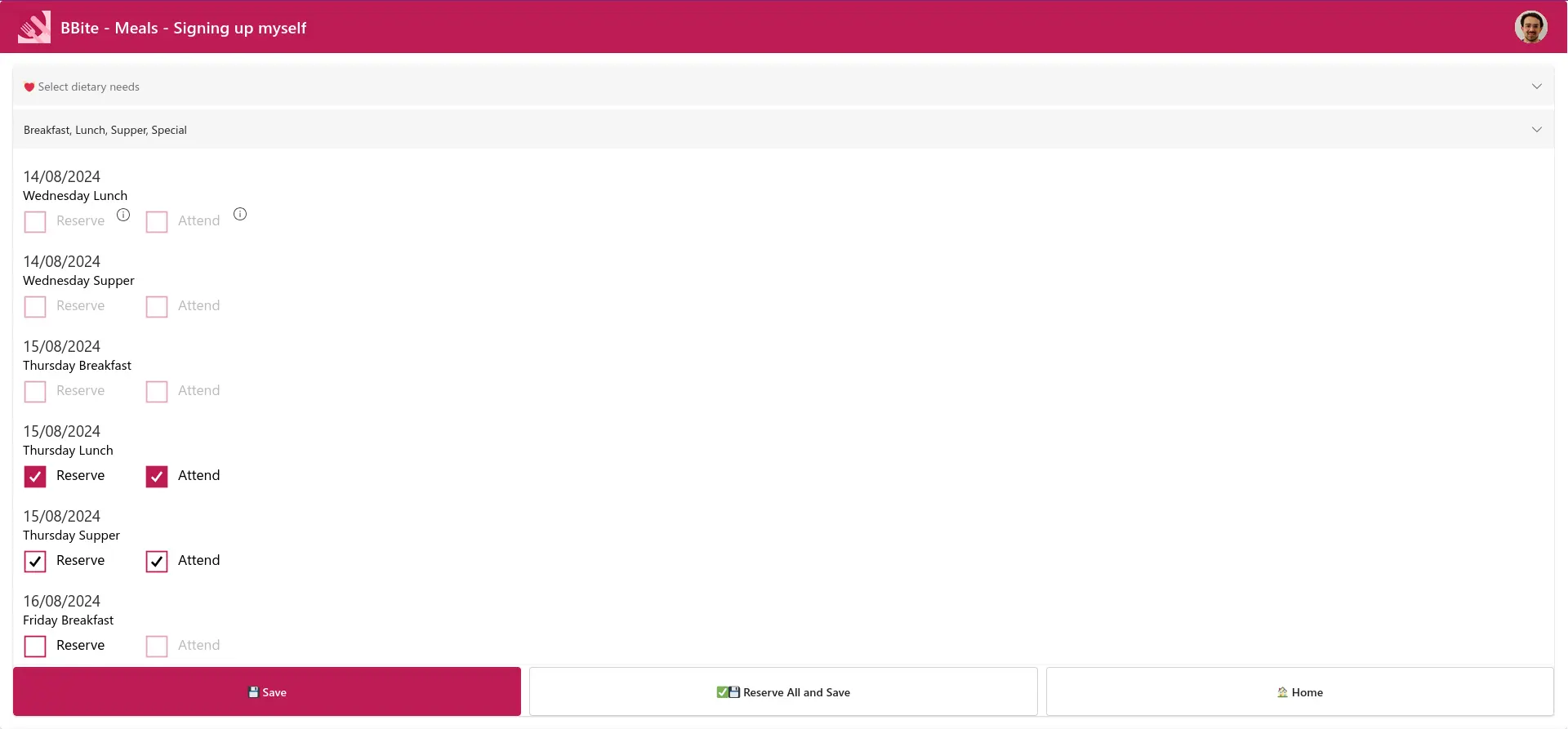
When reserving meals for themselves, the staff member simply selects to reserve and attend each. This allows for last-minute checking out of meals so that food isn’t wasted (although they will still be charged). The staff member has complete visibility to see which meals they have signed up for, and can make changes later as long it’s not too soon before the meal (determined by the dining hall staff).
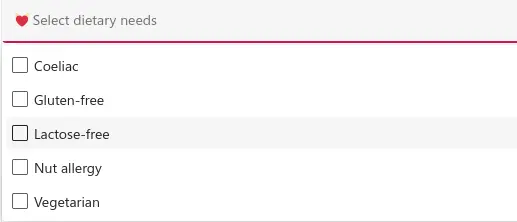
They also are able to easily indicate their dietary needs here, from a list. Multiple dietary needs can be selected.
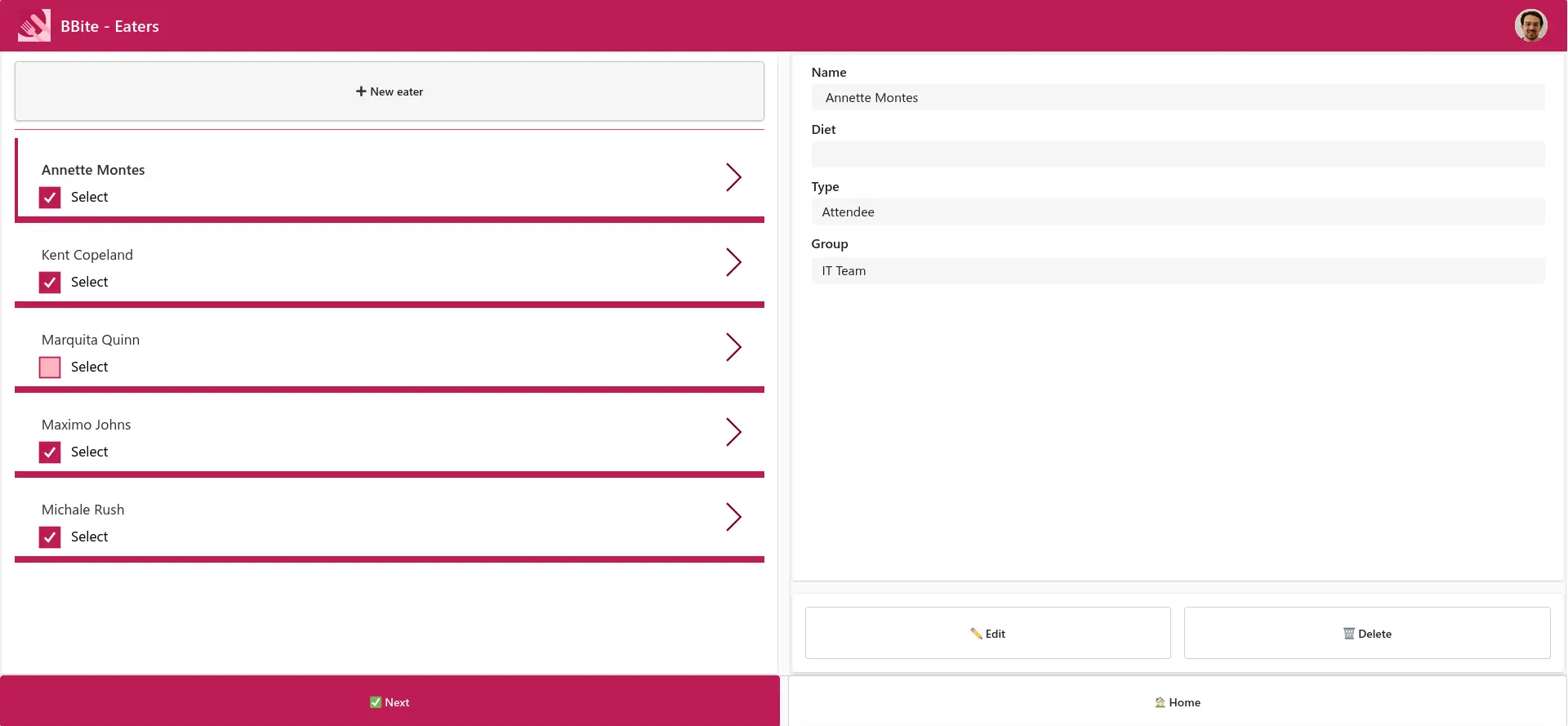
Groups of people, including trainees, guests, kids, mission builders, events, etc. can be created by the staff member and the meals reserved in exactly the same way. Staff members’ access to groups can be determined by their belonging to an associated Microsoft 365 group.
Dining Hall Staff
Those cooking can quickly see exactly how many people they need to cater for, and their dietary needs.
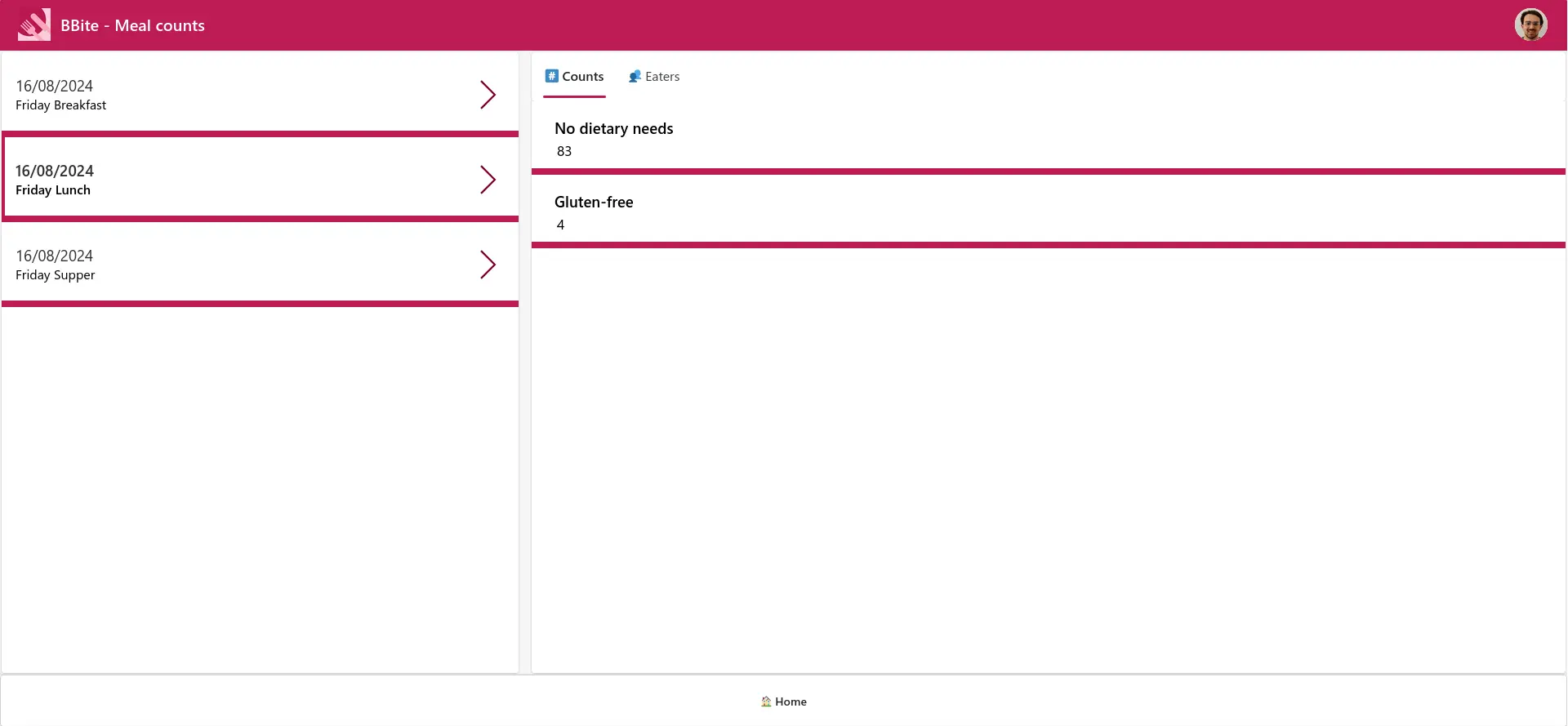
The dining hall staff have the ability to specify which meals are available and override any reservations. The data from BBite is automatically exported to an Excel spreadsheet, which the Accounts team can access, and easily see how much they should charge people or groups each month. BBite makes the staff’s lives simple so they can spend their time on what counts.
What about you?
What does this mean for you and your YWAM base? Of course, you may be facing similar challenges and could use BBite at your location. But also consider other areas which involve tedious, repeated office work or processes that strain communication because of their complexity. You could be wasting time when there is an elegant IT solution available. Feel free to reach out to me and I would love to dicuss those with you to find how you can turn from working IT to making IT work for you.